


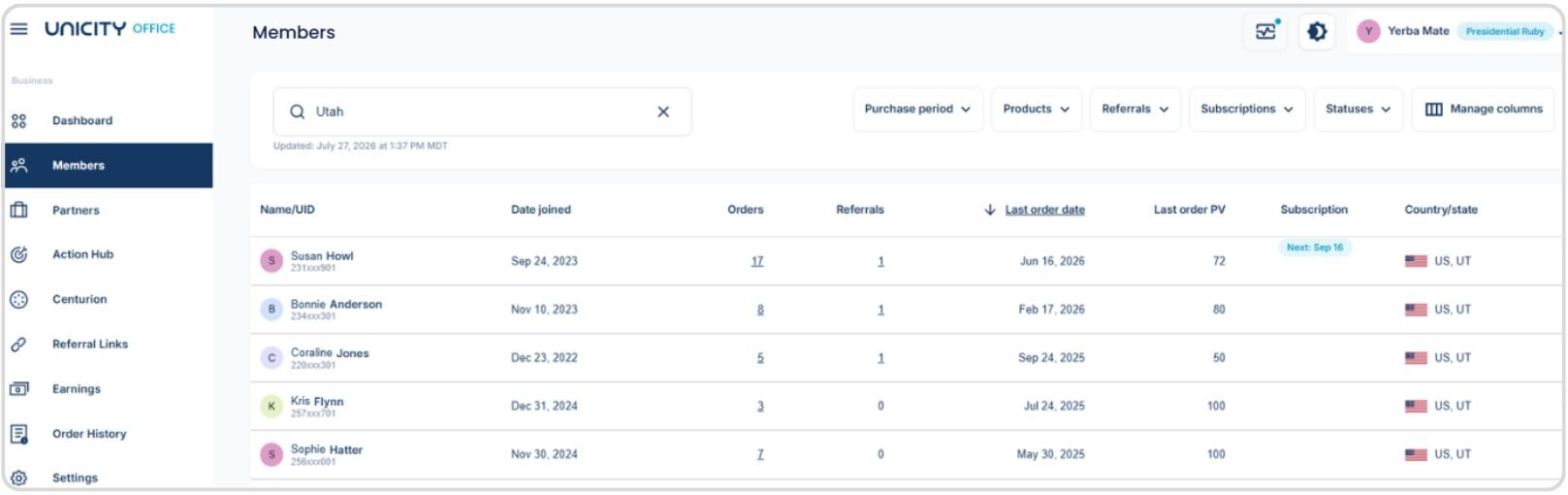
Use the Members search bar in Unicity Office to find Members by state, province, or country. Go to the Members page, then type the location into the search bar at the top.
Steps to Search by Location
- Go to the Members page in the Unicity Office.
- Click the search bar at the top of the page.
- Type the state, province, or country you want to search — for example, "Utah."
- The search returns all Members matching that location.
Other Ways to Search
The same search bar also finds Members by:
- Unicity ID
- Name
- Phone number
Finding Members by location is easy using the Members search bar. If you would like to learn more about the available search options and filters, refer to the article about using the Members search bar.